Google Calendar vs Apple Calendar: Which Is Better in 2026?
- Published on
Table of Contents
Use Both Calendars, Kept in Sync
Google Calendar and Apple Calendar are two of the most popular calendar apps in the world, and both are free. If you are trying to decide between them, the right choice depends on the devices you use and how you like to work. This guide compares them in plain terms, looks at where each one is stronger, and helps you pick. We also explain why many people end up using both, and how to keep them in sync.
Google Calendar vs Apple Calendar at a glance
Here is a quick side-by-side look before we go into detail.
| Feature | Google Calendar | Apple Calendar |
|---|---|---|
| Price | Free for individuals, paid Google Workspace for business features | Free with any Apple device |
| Works on | Web, Android, iPhone, iPad, any browser | iPhone, iPad, Mac, Apple Watch, iCloud.com |
| Android app | Yes | No |
| Best for | People on many devices, or on Android | People who use only Apple devices |
| Built-in tasks | Google Tasks | Reminders (a separate app) |
| Booking pages | Yes, appointment schedules like Microsoft Bookings | No |
| Standout integrations | Gmail, Google Meet, Google Workspace | Siri, Maps travel time, Apple Mail |
| AI features | Gemini | Apple Intelligence |
| Smart event input | Natural language on mobile, events from Gmail | Natural language, events from Mail |
| Sharing | Strong, with detailed permissions | Works well for iCloud calendars |
Both are excellent, so there is no single winner. The best one for you comes down to the details below.
What is Google Calendar?
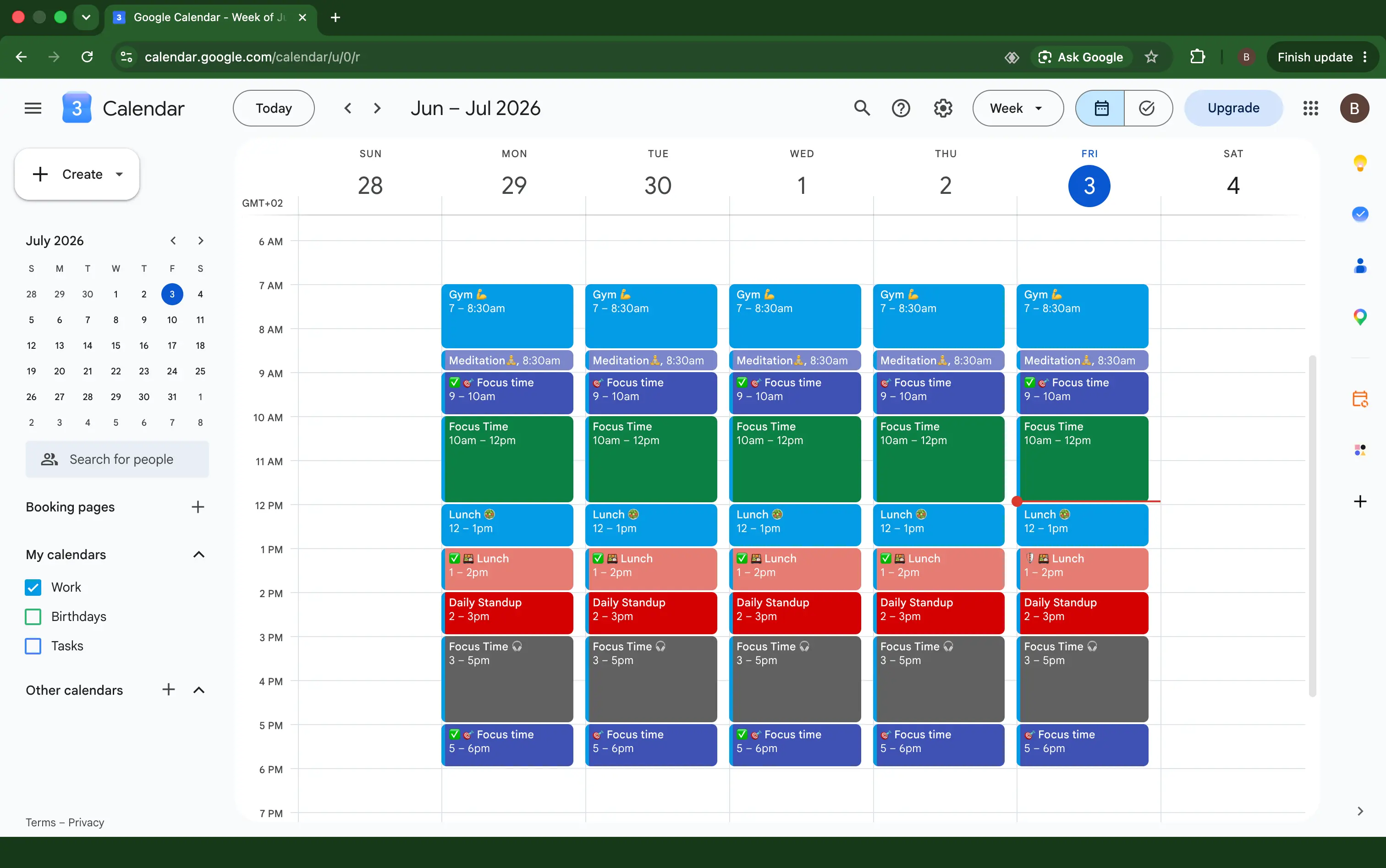
Google Calendar is the calendar app from Google. It runs in any web browser, and it has apps for Android, iPhone, and iPad. It is part of Google Workspace, so it connects closely with Gmail, Google Meet, and Google Contacts. Because it works everywhere, it is a common choice for people who switch between different devices or who use an Android phone.
What is Apple Calendar?
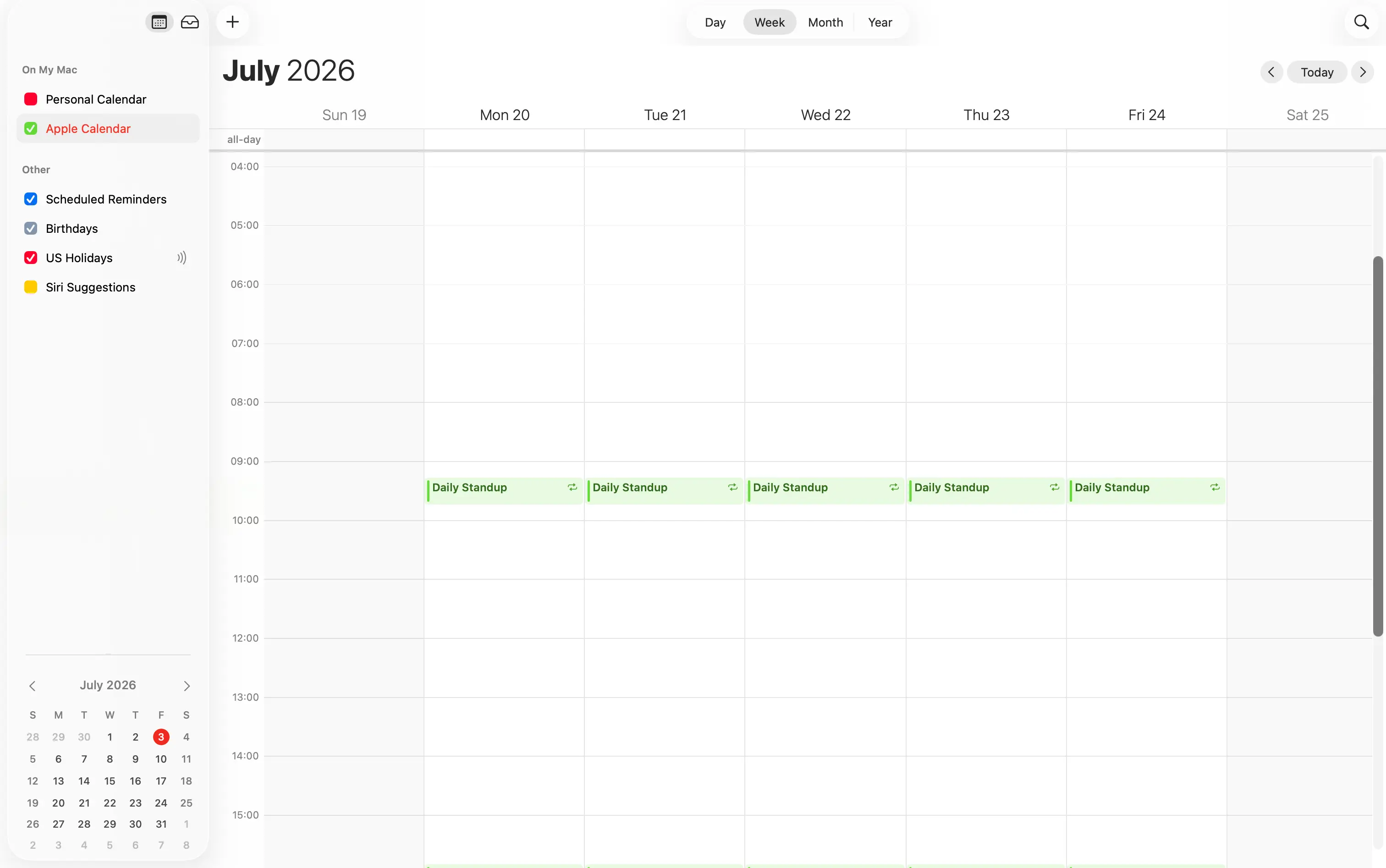
Apple Calendar is the calendar app built into every iPhone, iPad, and Mac, and it also works on Apple Watch. You can reach it on the web at iCloud.com, but there is no Android app. Because Apple builds it into the operating system, it works smoothly with Siri, Apple Maps, and Apple Mail. It is a natural choice for people who stay inside the Apple world.
Platforms and devices
This is the biggest practical difference between the two.
- Google Calendar works almost everywhere. You can open it in any browser, on Android, and on Apple devices. If you use a mix of phones and computers, Google Calendar follows you.
- Apple Calendar is for Apple devices only. It shines on iPhone, iPad, Mac, and Apple Watch, but there is no Android app. If you ever switch to an Android phone, you cannot bring the Apple Calendar app with you.
If you use an Android phone, Google Calendar is the clear pick. If every device you own is made by Apple, Apple Calendar fits right in.
Winner: Google Calendar, because it works on far more devices.
Ease of use and design
Both apps are clean and easy to use, but they feel different.
- Apple Calendar is simple and tidy. It matches the look of the rest of iOS and macOS, and it stays out of your way. Most people find it easy from the first day.
- Google Calendar is a little more feature-rich. It shows more options on screen, which power users like, and which lighter users may find busier.
Neither is hard to learn. Apple Calendar leans toward simple, and Google Calendar leans toward flexible.
Winner: a tie. It depends on whether you prefer clean and simple or flexible and detailed.
Features and scheduling
Both cover the basics well, so the difference is in the extra tools.
- Google Calendar offers Find a time to spot free slots across people, Google Tasks, Goals, working hours, and out of office. It also has appointment schedules, which are booking pages that let other people book time with you, much like Microsoft Bookings. On mobile you can type an event in plain language, and Gmail can add flights and reservations to your calendar automatically.
- Apple Calendar offers natural language input, travel time using Apple Maps so it knows when to remind you to leave, and it can add events that Apple Mail finds in your messages. Tasks live in the separate Reminders app rather than inside the calendar, and it has no built-in booking pages.
If you want scheduling and planning tools built in, Google Calendar has more of them. If you want a calendar that quietly works with the rest of your Apple apps, Apple Calendar does that well.
Winner: Google Calendar, for its deeper scheduling tools and booking pages.
AI and smart features
Both apps have added AI, and this is one of the fastest-changing differences between them.
- Google Calendar uses Gemini, Google's AI. It can suggest meeting times based on when people are free, summarize your upcoming schedule, and help write event details. Combined with Gmail, it also turns confirmation emails for flights, hotels, and reservations into calendar events for you.
- Apple Calendar uses Apple Intelligence. You can add events by voice with Siri, and your device can spot dates in messages, emails, and even screenshots and offer to add them. Much of this runs on your device rather than in the cloud.
The two take different paths. Google's AI is more about scheduling and works across your Google account, while Apple's is more about quietly catching events on your device.
Winner: a tie. Google is stronger for scheduling help, and Apple is stronger for on-device convenience.
Sharing and collaboration
- Google Calendar has strong sharing. You can share a calendar with specific people, choose exactly what they see, from free and busy only to full details, and let them edit if you want. It is a favorite for teams. For the full steps, see our guide on how to share a Google Calendar.
- Apple Calendar lets you share iCloud calendars with other people and works nicely with Family Sharing. It is great for households, though its options are simpler than Google's. See our guide on how to share the iPhone Calendar.
Winner: Google Calendar, for detailed permissions and sharing with people who are not on Apple.
Which calendar do the people around you use?
There is one more practical point that is easy to overlook. Google Calendar is the most widely used calendar in the world, with hundreds of millions of users, and that matters as soon as you start scheduling with other people.
Calendar invites and RSVPs do work across apps, because they are sent by email, so you can accept a Google invite in Apple Calendar and the other way around. But the experience is smoothest when both people are on the same system. Seeing someone's free and busy times, using Find a time, sending guest lists, and getting automatic updates all work most reliably when everyone is on Google Calendar, especially within the same workplace.
Because so many people already use Google Calendar, choosing it means you are more likely to be on the same system as the people you invite and meet with. Google calendars also talk to each other smoothly. For anyone who books meetings with a lot of different people, this alone is a strong reason to lean toward Google Calendar.
Winner: Google Calendar, simply because more of the people you deal with already use it.
Integrations
- Google Calendar connects tightly with Gmail, Google Meet, and the rest of Google Workspace, plus a huge range of third-party apps such as Zoom, Slack, Notion, Zapier, and Calendly. Video links are added to meetings automatically.
- Apple Calendar connects with Siri, so you can create events by voice, with Apple Maps for travel time, and with Apple Mail. It stays within the Apple ecosystem more than it reaches outside it, and fewer third-party tools support it. For example, the scheduling tool Calendly stopped adding new iCloud connections in 2024, while it still works with Google Calendar.
A big reason for this gap is how open each calendar is to developers. Google offers an official, well-documented Google Calendar API, which makes it straightforward for other companies to build apps and services on top of Google Calendar. That open, documented access is a large part of why so many tools support it. Apple does not offer an equivalent public API for iCloud calendars. Developers have to work with the older CalDAV standard or Apple's on-device EventKit framework, both of which are more limited and less documented. That makes building integrations with Apple Calendar harder, which is why far fewer apps do it.
Winner: Google Calendar, thanks to its open API and far wider third-party support. Apple Calendar is still convenient inside the Apple ecosystem, but fewer outside apps connect to it.
Offline access
Apple Calendar has the edge when you have no internet. Because your events are stored on your device, the Apple Calendar app keeps working normally offline, and it syncs your changes once you are back online. Google Calendar works offline in its mobile apps, but the web version needs a little setup first and is less smooth without a connection.
Winner: Apple Calendar.
Time zones
If you travel or work with people in other countries, time zone support matters. Both apps handle it well.
- Google Calendar lets you set a different time zone for a single event, show a second time zone next to your main one, and it includes a world clock. These controls are easy to find on the web.
- Apple Calendar has a time zone override, so you can lock an event to a specific place, and events shift correctly as you travel between time zones.
Winner: a tie, with a slight edge to Google for showing a second time zone and a world clock.
Notifications and privacy
- Notifications. Both send reminders on your devices. Google can also send event notifications by email.
- Privacy. Apple leans on a privacy-first message, and your Apple Calendar data lives in iCloud, while Google Calendar data lives in your Google account. It is worth knowing that neither calendar is end-to-end encrypted by default, so both companies can technically access your calendar data. The choice often comes down to which company you already trust with your information.
How much do Google Calendar and Apple Calendar cost?
Both are free to use for personal life, but the full picture is a little more detailed.
- Google Calendar is free with a personal Google account. For a business, it is part of Google Workspace, which is paid, starting at a few dollars per user each month. A paid Workspace plan unlocks business features like admin controls, larger Google Meet meetings, and the fuller version of appointment schedules with multiple booking pages and payment collection. A basic version of appointment scheduling is available to personal accounts.
- Apple Calendar is free with any Apple device, and there is no paid calendar plan. Apple does not sell a separate business calendar product, so companies that use Apple devices usually run Apple Calendar on top of a work account from Google or Microsoft.
So for one person, both are free. For an organization, Google Calendar has a paid business tier with extra tools, while Apple Calendar stays free but offers fewer business features on its own.
Winner: a tie for individuals. Google Calendar offers more if you are willing to pay for Workspace.
Which is better for a company or team?
For a business, the choice is usually not about the calendar on its own. Companies pick a whole productivity suite, and the calendar comes with it.
Google Calendar is part of Google Workspace, which also gives a company Gmail for email, user and account management for staff, Google Meet for video calls, Google Drive for storage, and Docs and Sheets, all tied together. Microsoft offers the same kind of bundle with Microsoft 365, built around Outlook and Teams. Both suites are made for teams to work together, with shared calendars, company-wide free and busy visibility, and admin controls.
Apple does not sell an equivalent all-in-one business suite. Apple devices are very common at work, but the calendar behind them is almost always Google or Microsoft. This is the main reason most companies run on Google Calendar or Microsoft 365 rather than Apple Calendar. If you are choosing for an organization, the real decision is usually Google Workspace versus Microsoft 365, with Apple Calendar used on top of one of them on people's iPhones and Macs.
Winner: Google Calendar (or Microsoft 365) for companies, because the calendar is part of a suite that is built for collaboration.
Summary: which calendar wins each category
Here is every category in one place, with the winner.
| Category | Winner |
|---|---|
| Platforms and devices | Google Calendar |
| Ease of use and design | Tie |
| Features and scheduling | Google Calendar |
| AI and smart features | Tie |
| Sharing and collaboration | Google Calendar |
| Working with other people (invites, RSVP) | Google Calendar |
| Integrations and developer API | Google Calendar |
| Offline access | Apple Calendar |
| Time zones | Tie (slight edge to Google) |
| Notifications | Tie |
| Privacy | Tie |
| Price for individuals | Tie |
| For a company or team | Google Calendar |
| Price and features for business | Google Calendar |
The table makes the pattern clear. Google Calendar wins on reach, features, and business tools, while Apple Calendar wins on offline use and feels best if you own only Apple devices. For a lot of people, the honest answer is that both are great, which is why using both is so popular.
Pros and cons
Google Calendar
- Pros: Works on every platform, rich scheduling features, strong sharing, deep Gmail and Meet integration.
- Cons: The interface can feel busier, and it ties you to a Google account.
Apple Calendar
- Pros: Clean and simple, deep integration with iPhone, Mac, Siri, and Maps, great for Apple households.
- Cons: No Android app, fewer built-in scheduling tools, simpler sharing.
Which one should you choose?
Here is the short answer for common situations.
- You use an Android phone. Choose Google Calendar. Apple Calendar has no Android app.
- You use only Apple devices. Apple Calendar will feel natural, though Google Calendar also works well on iPhone and Mac if you prefer its features.
- You work in a team on Google Workspace. Google Calendar is the better fit for scheduling and sharing with coworkers.
- You are a freelancer or consultant. Google Calendar's booking pages let clients schedule time with you, which Apple Calendar cannot do on its own.
- You share a calendar with your family. Both work, but an all-Apple household gets a smooth experience with Apple Calendar and Family Sharing, while a mixed household is better served by Google Calendar.
- You want the simplest possible calendar on your iPhone. Apple Calendar is hard to beat.
Why not use both
You do not actually have to choose. Many people use Google Calendar for work and Apple Calendar for personal life, or the other way around. You can even see your Google events inside the Apple Calendar app by adding your Google account to your iPhone or Mac. We show you how in our guide on how to sync Google Calendar with iPhone.
There is a catch, though. Adding an account only lets one app display the other's events. It does not copy events between separate calendars or accounts, so a meeting on your work calendar will not block the time on your personal one, and you can still get double-booked.
To use both calendars smoothly, the busy events need to exist on each one. That is calendar syncing, and it is the piece that adding an account does not give you.
A calendar sync app like OneCal clones events between your Google, Apple, and Outlook calendars in real-time, with the private details hidden if you want. Every calendar shows the same busy times, so you can use both apps and never get double-booked.
Tools like OneCal are the easiest way to run Google Calendar and Apple Calendar side by side. To learn more, see our roundup of the best calendar synchronization apps.
Frequently asked questions
Is Google Calendar or Apple Calendar better?
Neither is better for everyone. Google Calendar is better if you use Android or many different devices, or if you want rich scheduling and sharing tools. Apple Calendar is better if you use only Apple devices and want a simple calendar that works closely with Siri, Maps, and Mail.
Is Apple Calendar available on Android?
No. Apple Calendar has no Android app. If you use an Android phone, Google Calendar is the better choice, since it works on Android, Apple devices, and the web.
Are Google Calendar and Apple Calendar free?
Yes. Both calendar apps are free to use.
Can I use Google Calendar and Apple Calendar together?
Yes. You can add your Google account to the Apple Calendar app to see your Google events there. To keep separate calendars matching so they block each other's time, you need a calendar sync app.
Can I see my Apple Calendar in Google Calendar?
Yes, but not directly. You publish your iCloud calendar as a link and subscribe to it in Google Calendar. It shows up as read-only. For two-way, real-time updates, a sync app is the better option.